

After you’ve made your payment, you’ll be able to access any files you’ve purchased right away. To get your resources, go to your Accounts Downloads Section, please follow these steps:
Step 1: The payment procedure must be completed.
Step 2: Please double-check that the transaction was successful.
Step 3: After making the payment, log in to our website or check your spam/junk folder.
Step 4: To log in, select “My Account” from the menu (Your account will be automatically created after payment).
Step 5:
Before proceeding to the confirmation page containing your file’s download link, please double-check that your payment was successful. As illustrated in the screenshot below, the Guest Checkout download link can be located on the confirmation page.. example: “ Click TB.zip or SM.zip to download product”
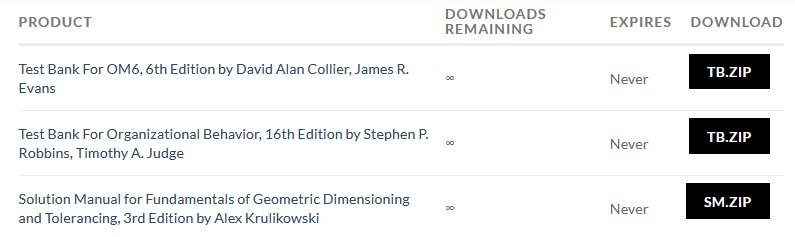
Note: To preserve and integrate the chapters, the files are in a zip folder, thus you’ll need to unzip (Extract) the product you downloaded once you’ve completed your order.
If you have a problem or a question that needs to be answered, please use our contact form to send us an email.. Click Here